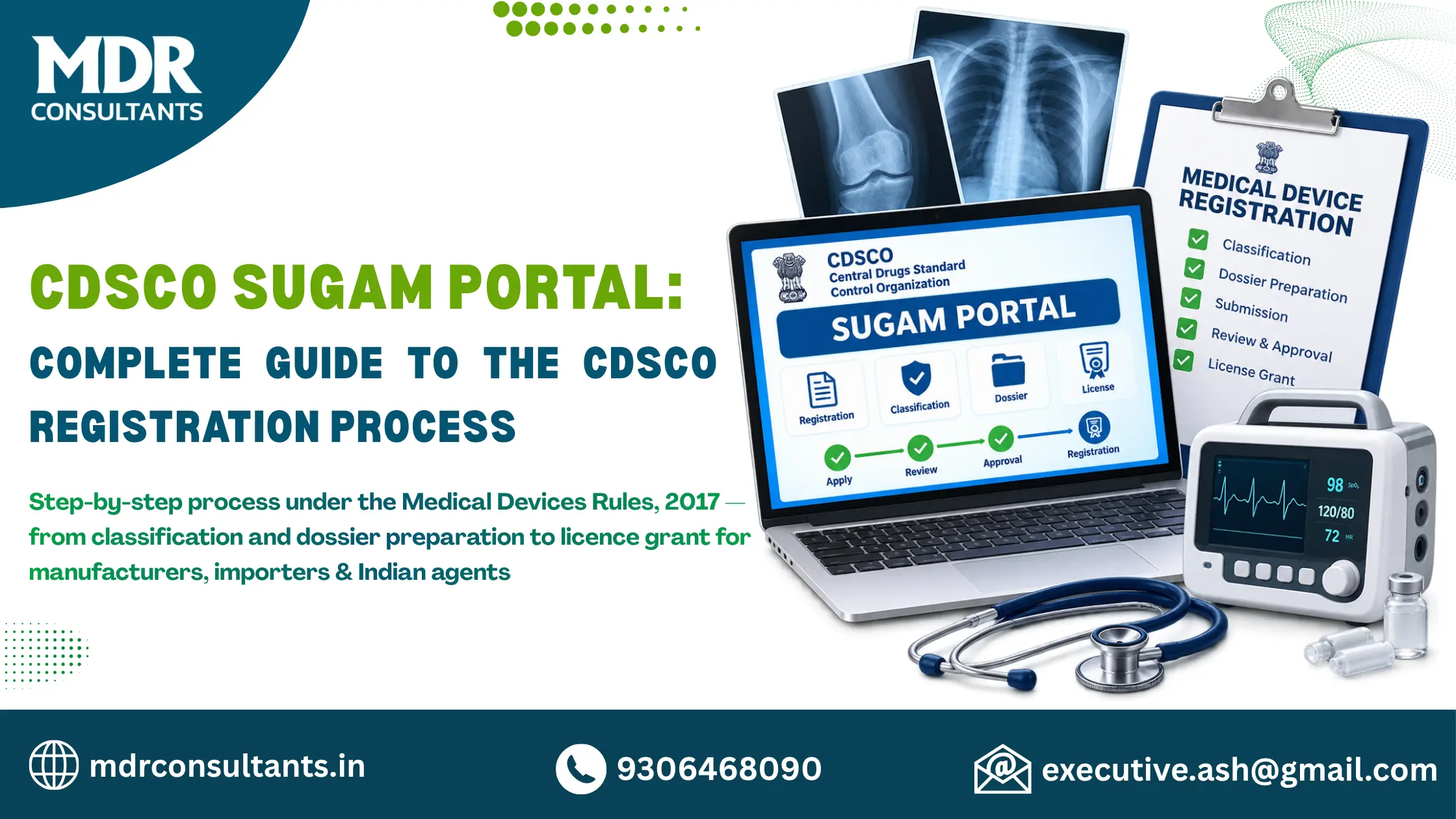
Bringing medical devices into the Indian market demands strict adherence to the regulatory system managed by the Central Drugs Standard Control Organization. The Medical Devices Rules, 2017 form the core legal framework, and the SUGAM online system acts as the single digital gateway for nearly all related filings. This guide explains the full process in clear, practical terms so manufacturers, importers, and Indian agents can move forward with confidence.
What the SUGAM Portal Actually Is?
SUGAM (System for Unmanned Gateways Approval of Manufacturers) is CDSCO’s official e-governance platform. It is available at cdscoonline.gov.in, with a dedicated medical-device section at cdscomdonline.gov.in. Every application for manufacturing licences, import licences, test licences, and related permissions under the 2017 Rules must be filed electronically through this system. Physical paper files are no longer accepted for the standard pathways.
The portal lets applicants create accounts, upload dossiers, pay fees, track status in real time, answer queries, and download the final licences once granted.
Risk Classification Under the Medical Devices Rules, 2017
Before any form is opened, the device must be correctly classified. The Rules place every medical device and IVD into one of four risk classes:
Classification follows the rules set out in the First Schedule. The class decides both the licensing authority and the exact form that must be used. State Licensing Authorities issue manufacturing licences for Class A and Class B devices. The Central Licensing Authority (CDSCO) issues manufacturing licences for Class C and Class D devices and issues all import licences regardless of class.
Foreign manufacturers are not permitted to file applications themselves. They must appoint an Indian Authorised Agent who holds a valid wholesale licence and who submits every application on their behalf.
Creating an Account on the SUGAM Portal
After email confirmation, hard copies of the same documents must be delivered to the concerned CDSCO office for physical verification. Once verification is complete, login credentials are sent to the registered email. Units that already fall under a registered corporate entity can obtain credentials from that corporate user instead of creating a separate account. Users may hold several roles under one login and switch between them as needed.
Selecting the Correct Application Form
Using the wrong form is one of the most common reasons for delay. The principal forms under the 2017 Rules are:
Corresponding loan-licence forms (MD-4/MD-6 and MD-8/MD-10) exist for loan manufacturing arrangements. All of these are submitted exclusively through the medical-device portal.
Building the Technical Dossier
The Fourth Schedule of the Medical Devices Rules, 2017 sets out the documentary requirements. A complete submission normally contains:
All files must be clear PDFs and the information inside them must match the data entered on the portal exactly. Incomplete or inconsistent dossiers almost always generate queries.
Filing the Application and Paying Fees
After logging in, choose the correct division and form, complete every field carefully, and upload the full dossier. Fees are paid online through the portal’s payment gateway and are non-refundable.
The Second Schedule of the Rules sets the amounts:
A separate fee is charged for every distinct device or brand. Payment must be completed before the application can be finally submitted.
Review, Queries, Inspection and Grant of Licence
CDSCO or the State Authority examines the file. If clarification is required, a query appears in the portal status. The applicant must reply by uploading the requested material within the time allowed (commonly 45 days in current practice).
For Class B manufacturing sites a Notified Body may perform an audit. Class C and D applications may involve inspection or detailed technical review by the Central Authority. Once the authority is satisfied, the licence is generated electronically and becomes available for download. Licences remain valid for five years provided the prescribed retention fee is paid on time.
Applicants can check status at any moment under the “Submitted Applications” section. The same portal is also used for post-approval variations, retention applications and adverse-event reporting.
Practical Points That Reduce Delays
Support from MDR Consultants
MDR Consultants specialises in guiding companies through every stage of the CDSCO process under the Medical Devices Rules, 2017. From accurate classification and dossier preparation to portal registration, application filing, query management and post-licence support, the team works strictly according to current CDSCO guidelines. Whether the goal is an MD-5 or MD-9 manufacturing licence or an MD-15 import licence, professional assistance helps ensure the submission meets regulatory expectations and moves forward without unnecessary delay.
The SUGAM system has made the Indian regulatory pathway transparent and fully digital. When the steps described above are followed carefully and the documentation is prepared in line with the 2017 Rules, applicants can obtain the required licences efficiently and bring safe medical devices to the Indian market. Always cross-check the latest circulars and user manuals published on the official CDSCO websites, because requirements continue to be refined over time.
Last Updated : 29 Aug 2026
The Brand That Promises To Turn Your Business Around!
MDR Consultants excels in guiding medical device companies through global regulatory approvals with tailored solutions, clear communication, and efficient delivery. Their mission-driven approach fosters innovation, compliance, and long-term partnerships built on trust and excellence.

As I observed this company maintains a very good and cooperative environment. "MDR" consultancy is equipped with all modern amenities. They guide you the best. I highly recommend this firm. The entire team is very courteous and helpful. Highly Professional team and the owner is very skilled and humble.

Outstanding expertise! They streamlined our regulatory process, saving us immense time and stress. A truly invaluable partner for medical device compliance.

MDR Consultants have been a reliable partner for our CDSCO registration needs. Their efficient processes and in-depth knowledge of the regulations saved us significant time and resources. We are confident about the quality of their services and their commitment to client satisfaction.

MDR team has consistently delivered quality work, meeting deadlines and exceeding our expectations. We really recommend MDR for regulatory support

My experience with MDR consultants is wonderful. They have in-depth and vast knowledge about their work. They have the team of incredible people. Their commitment towards the client is highly appreciable. I highly recommend to have their services.

MDR IS THE BEST SOLUTION FOR MEDICAL DEVICES CONSULTANCIE THEY PROVIDE ALL THE SOLUTIONS AND PROPER GUIDANCE.AND DELIVER THEIR SERVICES ON TIME .

MDR team has consistently delivered high quality work, meeting deadlines and exceeding our expectations.

It was really a nice experience working with MDR consultancy.They guide you properly with their tranparent work ethics.Honestly MDR consultancy helped me a lot in growing my business.

A very friendly bunch of efficient employees in the team of MDR.A very professional approach towards their job and all my work was done hassle free with least follow up from my side.Keep up great work team MDR!!!!👍👍

The services are top notch , highly recommend for Mr Ashish

Best regulatory services..for medical devices…best in the business

Have a rich experience in the field of consultancy.

Extremely helpful and responsive

Very good experience

Good Services

Appreciable work.

True consultant

Medical Device Regulatory Consultants
37-38, 1st Floor, Near Makhan Bhog, G.T. Road,
Kundli Industrial Area, Delhi NCR, 131028